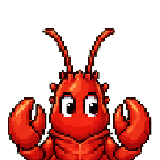
 Classic Lobster
Pixel desktop companion
Your desktop becomes the playing field.
LobsterOS turns every keystroke, click and scroll into XP, quests, cosmetics and small live events — native, private, free.
Freeforever
Local-firstXP & events
Cloud-readySync, restore & boards
Classic Lobster
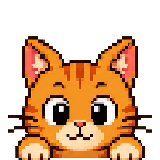 Tabby Cat
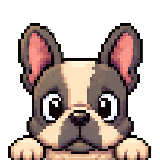 French Bulldog
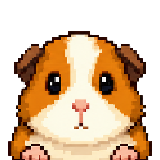 Guinea Pig
 Penguin
Gameplay on your desktop
Activity becomes progress
Input XP
Keys, clicks, scrolls and distance turn into progress, levels and quests — all locally.
Cosmetics
Skins, hats, auras and small companions make the desktop pet your own.
Live events
Meteor XP, gold bonuses, fishing and boss events drop in for short, playable moments.
Privacy first
No key contents, no screenshots, no hidden uploads. Cloud sync is optional.
Live showcase
How the companion feels
Real screenshots and GIFs ship with the public beta — until then these mockups give you a first impression.
Download
LobsterOS for your desktop
Pick your platform — we mark the right one for you. Free, no account needed to get started.
Recommended
Windows
64-bit · Windows 10/11
LobsterOS-Setup.exe
Download
Recommended
macOS
Universal · Apple Silicon & Intel
LobsterOS.dmg
Download
Recommended
Linux
AppImage · x86_64
LobsterOS.AppImage
DownloadDifferent platform? Check the release archive. SHA256 hashes and release notes ship with the public beta.
Frequently asked
Sounds like a toy. Is it one?
Quick answers to the questions we get most often.
What does LobsterOS cost?
Nothing. The desktop companion is and stays free. Cloud sync and account features are free too.
What data is collected?
Only aggregated input metrics (counts of keys, clicks, scrolls, distances). No keystrokes, no screenshots, no app names. Cloud sync is optional.
Do I need an account?
No. The companion runs entirely locally. An account is only needed if you want to sync progress between devices.
Which platforms run the client?
Native builds for Windows (10/11), macOS (Apple Silicon & Intel) and Linux (AppImage / .deb) are available. All three can be downloaded directly above in the download section.
How can I send feedback?
Through the contact form on this site. We read every message; a Discord community follows with the skin shop.
Get started
Ready for your companion?
Create an account in 30 seconds and pair your first device. Free, no credit card.